
Why I Stopped Using “Temporary Login Without Password” — And Built Ghost Core Instead
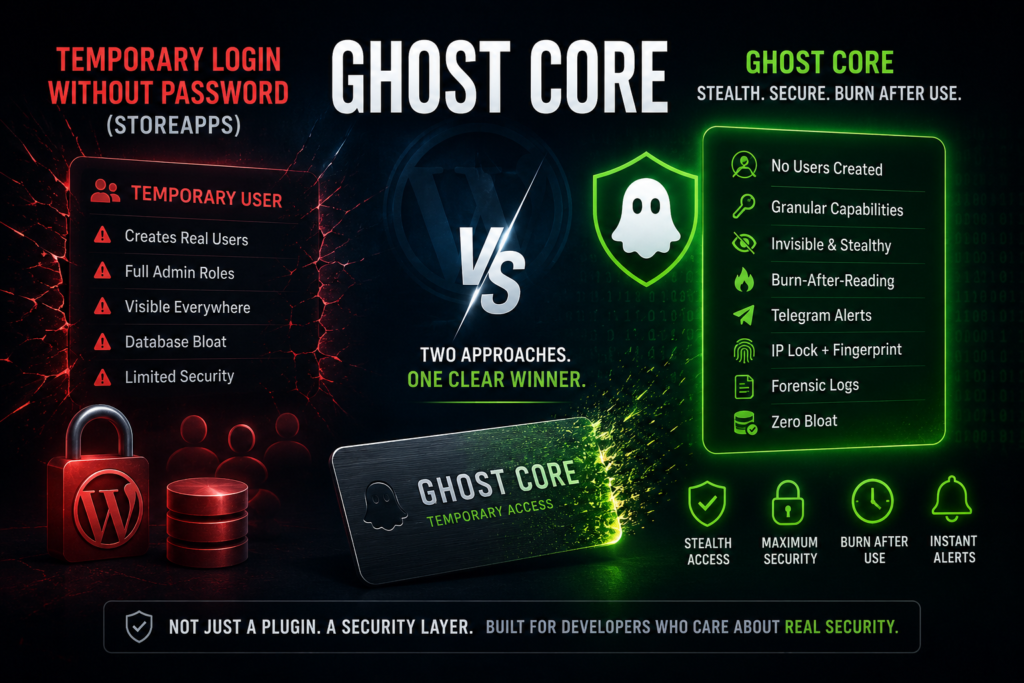
If you manage WordPress websites for clients, developers, or support teams, chances are you’ve used plugins that generate temporary admin logins. One of the most popular options is the StoreApps plugin called “Temporary Login Without Password,” which has over 100,000+ active installs. And honestly — it works. But after auditing multiple client websites and digging deeper into how these plugins actually function behind the scenes, I realized something important: Most temporary login plugins still create real WordPress users inside your database. That means even “temporary” access leaves traces behind — users in your wp_users table, roles attached to accounts, REST API visibility, author dropdown clutter, and leftover database entries. That is exactly why I built Ghost Core. What Is Ghost Core? Ghost Core is not a traditional WordPress plugin. Instead of creating temporary WordPress users, it works like a stealth access layer that grants temporary admin access without permanently adding anyone to your website. Think of it like this: Most plugins create a temporary person inside your WordPress house.Ghost Core creates a temporary keycard that unlocks the house without adding a person to the resident list. And when the keycard expires? It burns itself automatically. Ghost Core vs Temporary Login Without Password Here’s the biggest difference between Ghost Core and the popular StoreApps plugin: Feature StoreApps Plugin Ghost Core User Creation Creates real WordPress users Uses one invisible system layer Database Usage Adds users and extra data No user creation bloat Roles Full WordPress roles only Granular capability control Expiry Time-based expiry True burn-after-reading tokens Visibility Users appear in admin Completely hidden Security Alerts Pro feature only Telegram alerts built-in IP Protection Limited Triple-layer validation Session Kill Switch Manual cleanup One-click session destruction Logging Basic logs Full forensic audit logs Dependencies Plugin updates required Pure PHP inside functions.php Ghost Core was designed for developers who want maximum control, stealth, and security without relying on bulky plugins. Why Traditional Temporary Login Plugins Are Problematic Most people assume temporary login plugins simply generate a secure link. But internally, many of them: That creates several problems: 1. Database Clutter Even after expiry, many temporary users remain stored in your database until manually deleted. Over time this becomes unnecessary bloat. 2. Hidden Security Risks If an expired temporary account is not removed properly, it becomes a security liability. Especially on client websites. 3. Plugin Dependency You rely on: Ghost Core avoids all of this because it runs as lightweight custom PHP code directly inside your WordPress environment. The Most Powerful Ghost Core Features Invisible Access Layer Ghost Core does not create visible admin users. The system is hidden from: To WordPress, the temporary user practically does not exist. True Burn-After-Reading Tokens This is one of my favorite features. The moment a token reaches its maximum allowed usage: Even expired tokens are auto-purged. No cleanup needed. Telegram Security Alerts Most plugins lock advanced alerts behind paid plans. Ghost Core includes native Telegram alerts for free. You instantly receive notifications when: That gives you real-time visibility into admin access activity. Triple-Layer Security Protection Ghost Core includes: If the browser or IP changes unexpectedly, the session is terminated instantly. This dramatically reduces the risk of leaked access links. Built-In Forensic Logging Every action can be logged with: Logs are stored outside the public web root for additional protection. This makes Ghost Core incredibly useful for agencies and client support teams. How to Set Up Telegram Alerts in Ghost Core One of the best features inside Ghost Core is the Telegram alert system. The setup is surprisingly easy. Step 1: Create a Telegram Bot Open Telegram and search for Telegram bot @BotFather. Send: Create a bot name and username. Telegram will generate a token like this: Save this token securely. Step 2: Get Your Chat ID For personal alerts: For group alerts: Find the chat.id value. Step 3: Build the Telegram URL Format: Example: Step 4: Paste It Into Ghost Core Inside your WordPress dashboard: Paste the URL into: Now generate a token and test the alert system. You should instantly receive: 🧪 TEST: Ghost Core burn alert is working! Common Telegram Setup Mistakes Problem Solution “Chat not found” Message the bot first using /start Group ID not working Include the -100 prefix Token format looks strange Keep the colon : intact Alerts not sending Ask hosting provider to allow api.telegram.org Why I Prefer Ghost Core I used to recommend temporary login plugins to everyone. But after seeing how much database clutter and unnecessary exposure they create, I wanted something cleaner. Ghost Core is: It behaves more like a digital access system than a traditional WordPress plugin. And for developers managing client websites, that difference matters. Install WPCode – Insert Headers and Footers + Custom Code Snippets – WordPress Code Manager
OTP Verification For WordPress Website Without DLT Registration Using Message Central Platform
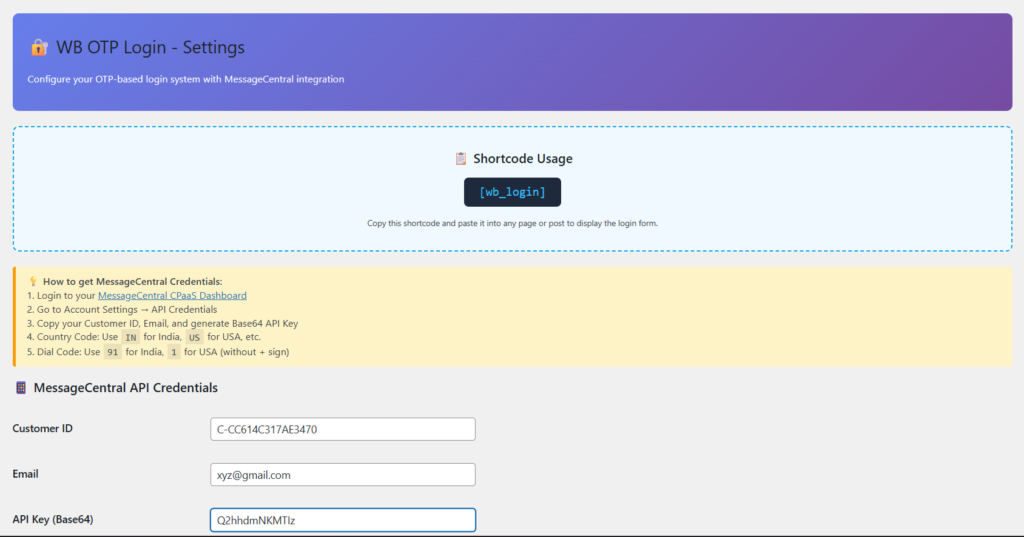
In today’s digital world, users want fast and secure login systems. Nobody likes remembering long passwords or waiting for password reset emails. That’s why OTP (One-Time Password) verification systems are becoming extremely popular for WordPress websites. Whether you run a course-selling platform, membership website, eCommerce store, or service-based business, OTP login can improve both security and user experience. In this blog, we’ll understand: What is OTP Verification? OTP (One-Time Password) verification is a login or signup system where users receive a temporary code on their mobile number. They enter the code to verify their identity. Instead of using traditional usernames and passwords, users can simply log in using their phone numbers. Example: This method is widely used by apps like banking platforms, food delivery apps, eCommerce websites, and social media platforms. Benefits of OTP Login for WordPress Websites 1. Faster Login Experience Users don’t need to remember passwords. They can log in within seconds using OTP verification. This improves user convenience and reduces login friction. 2. Better Security Passwords can be guessed, leaked, or reused. OTP verification adds an extra security layer because the OTP works only once and expires quickly. 3. Reduce Fake Registrations OTP verification ensures that users enter real mobile numbers during signup. This helps reduce spam accounts and fake registrations. 4. Higher Conversion Rates A simple OTP-based login system can increase signup completion rates because users prefer quick authentication methods. Especially useful for: 5. Password Reset Problems are Eliminated Since users log in using OTP, they don’t need to remember passwords or request password reset emails repeatedly. What is DLT Registration? DLT stands for Distributed Ledger Technology. In India, telecom authorities introduced DLT regulations to reduce spam SMS and fraudulent messaging. Under TRAI regulations, businesses sending SMS messages through telecom networks usually need: This process is commonly known as DLT Registration. Why Do Most OTP Providers Require DLT? Most SMS gateway providers in India use telecom routes that are directly connected to Indian operators. Because of TRAI regulations, these providers require businesses to complete DLT verification before sending: Without DLT approval, SMS delivery may fail or messages may get blocked. Problems With DLT Registration Although DLT helps reduce spam, it creates problems for many small website owners and developers. Some common issues include: For developers testing OTP systems or small businesses starting out, DLT can become a major hurdle. How Message Central is Different Message Central provides a simpler way to implement OTP verification systems. One of the biggest advantages of Message Central is that developers can integrate OTP functionality without going through the complicated DLT registration process for basic OTP workflows. This makes it extremely useful for: Benefits of Using Message Central Easy API Integration Message Central provides simple API endpoints that can be integrated into WordPress websites easily. Fast OTP Delivery OTP messages are delivered quickly, providing a smooth login experience for users. Beginner-Friendly Compared to traditional SMS gateway providers, setup is much simpler. Perfect for WordPress OTP Systems You can use it with: No Complex DLT Setup for Basic OTP Workflows This is the biggest reason many developers prefer Message Central for OTP verification systems. WordPress OTP Verification Using Message Central Now comes the practical part. In the next section, we’ll integrate Message Central OTP verification into a WordPress website using custom code. We will create: You can add this functionality to: What We Will Need Before starting, make sure you have: 1. WordPress Website A working WordPress installation. 2. Message Central Account Create an account on Message Central and get: 3. Access to functions.php We’ll add custom code inside: Features We’ll Build Our OTP system will include: Install WPCode – Insert Headers and Footers + Custom Code Snippets – WordPress Code Manager While most SMS providers require complicated DLT registration processes, Message Central makes OTP integration much easier for developers and businesses. In the next section, we’ll implement the complete WordPress OTP verification system using Message Central step-by-step with custom code integration.
